Fart Together System Requirements (Minimum & Recommended)
Official Fart Together PC specs from Steam: Windows 10/11, CPU, RAM, GTX 1050 Ti or RX 560, DirectX 11, 4 GB storage, and stable internet for online co-op.
FAQ
What are the minimum system requirements for Fart Together?
What are the recommended system requirements?
Does Fart Together need an internet connection?
Are Mac or Linux supported?
Do the Demo and Early Access use the same requirements?
What are the Fart Together system requirements?
Steam publishes both minimum and recommended PC specs for Fart Together on Windows, with a stable internet connection required for online co-op. Multiplayer is online co-op; Steam repeats that co-op note in the requirements footnote.
We have not benchmarked FPS on any hardware. This page copies Steam’s published requirement text as of October 24, 2026. For handheld play, see Fart Together on Steam Deck. For launch day, see release date.
Minimum requirements (Steam)
| Field | Requirement |
|---|---|
| OS | Windows 10 64-bit |
| Processor | Intel Core i5-8400 or AMD Ryzen 3 1200 |
| Memory | 8 GB RAM |
| Graphics | NVIDIA GTX 1050 Ti or AMD RX 560 |
| DirectX | Version 11 |
| Network | Broadband Internet |
| Storage | 4 GB available space |
| Sound | DirectX compatible sound device |
| Additional Notes | A stable internet connection is required for online co-op. |
Recommended requirements (Steam)
| Field | Requirement |
|---|---|
| OS | Windows 10/11 64-bit |
| Processor | Intel Core i5-10400 or AMD Ryzen 5 3600 |
| Memory | 16 GB RAM |
| Graphics | NVIDIA GTX 1660 or AMD RX 590 |
| DirectX | Version 11 |
| Network | Broadband Internet |
| Storage | 4 GB available space |
| Sound | DirectX compatible sound device |
| Additional Notes | A stable internet connection is required for online co-op. |
Why does online co-op matter for specs?
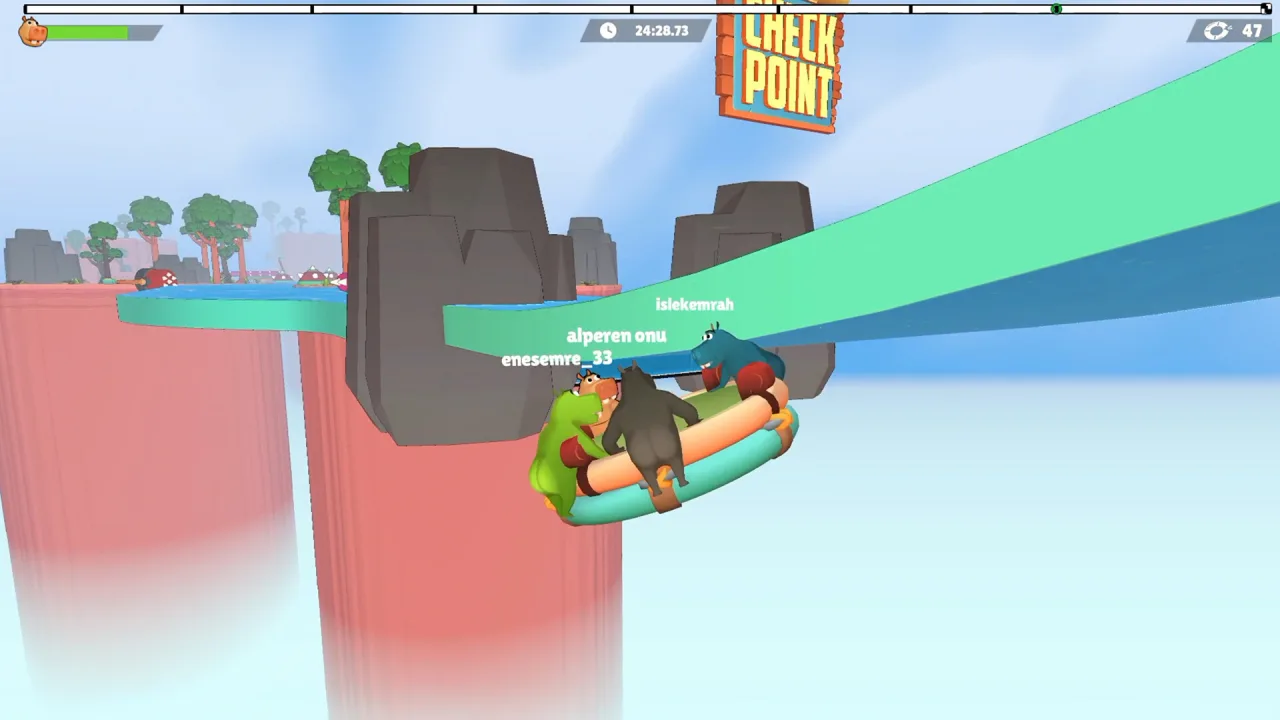
Meeting GPU and CPU targets does not replace a working internet path. Steam lists Online Co-op for Fart Together. There is no Single-player or LAN category on the listing we verified. Official gameplay screenshots show online usernames above hippos, which matches an internet session. We have not verified lobby UI or matchmaking load.
If friends cannot join, read how to invite friends for what is and is not documented on Steam today.

Demo vs Early Access requirements
The Demo and Early Access listing share the same requirement blocks on Steam with one minimum-field difference.
- Early Access minimum includes Windows 10 64-bit and the 64-bit processor line in the standard Steam minimum block.
- Demo minimum matches the same CPU, RAM, GPU, DirectX, network, storage, sound, and co-op note, but does not include the separate “64-bit processor” line that appears on the full game’s minimum list.
If you can run the free demo, that is a practical pre-purchase check. We have no post-EA build measurements to compare.
How to check your Windows PC against the list
Compare your hardware names to the tables above. Steam does not offer an in-client “can I run it” lab for every indie title.
CPU and installed RAM
- Open Settings → System → About (Windows 10/11).
- Read Processor and Installed RAM.
- Match the processor model to i5-8400 / Ryzen 3 1200 (minimum) or i5-10400 / Ryzen 5 3600 (recommended). Steam lists OR choices: either vendor tier satisfies that row.
Graphics card
- Press Ctrl + Shift + Esc to open Task Manager.
- Go to the Performance tab → GPU.
- Note the GPU name at the top (e.g., GTX 1050 Ti, RX 560, integrated graphics).
- Compare to GTX 1050 Ti / RX 560 (minimum) or GTX 1660 / RX 590 (recommended).
Integrated GPUs are not named in Steam’s list. If you only see Intel UHD or similar, treat compatibility as unknown until you test the demo.
DirectX version
- Press Win + R, type
dxdiag, press Enter. - On the System tab, read DirectX Version.
- Steam requires DirectX 11.
Storage
- In Settings → System → Storage, confirm at least 4 GB free on the drive where Steam installs games.
Network
Steam asks for broadband Internet and stable connectivity for co-op. A wired Ethernet connection or strong Wi‑Fi is a practical requirement even though Steam does not list Mbps.

PlayStation, Xbox, mobile, and Steam Deck
The Steam store page we verified lists Windows PC only. No Mac or Linux platform flags appear there. Console and phone versions are not announced on that listing. Steam Deck compatibility is a separate question: Valve had not assigned a Deck rating as of our check.
Gameplay context: what is Fart Together and how to play describe the Steam pitch without claiming our own playtests.
Sources
- Fart Together — Steam store page (App 5117550) — minimum and recommended system requirements
- Fart Together Demo — Steam store page (App 5208630) — Demo system requirements
Last verified: October 24, 2026.
Related Articles
guides
Fart Together Beginner Guide: Set Up Before You Play
Fart Together beginner guide: try the free Steam Demo, check PC specs, gather 2–4 online players, know what controls are unconfirmed, and what Early Access includes.
guides
Fart Together Controls: What Is Confirmed So Far
Steam lists keyboard-only play and full controller support. Only ESC beside AYRIL (leave) is verified in the official trailer; movement binds are unpublished.
guides
How Many Players in Fart Together? Solo, 2, 3, and 4
Steam lists 2–4 player online co-op on one raft, not single-player or split-screen. Solo and 3-player starts are unconfirmed; Team Race is not in EA.
Was this helpful?
Thanks for the feedback!